Hotel software with every feature an independent hotel needs
Channel manager, property management, booking engine, dynamic pricing and guest service in one platform. Here is exactly what you get, and why it makes a difference on a busy Friday.
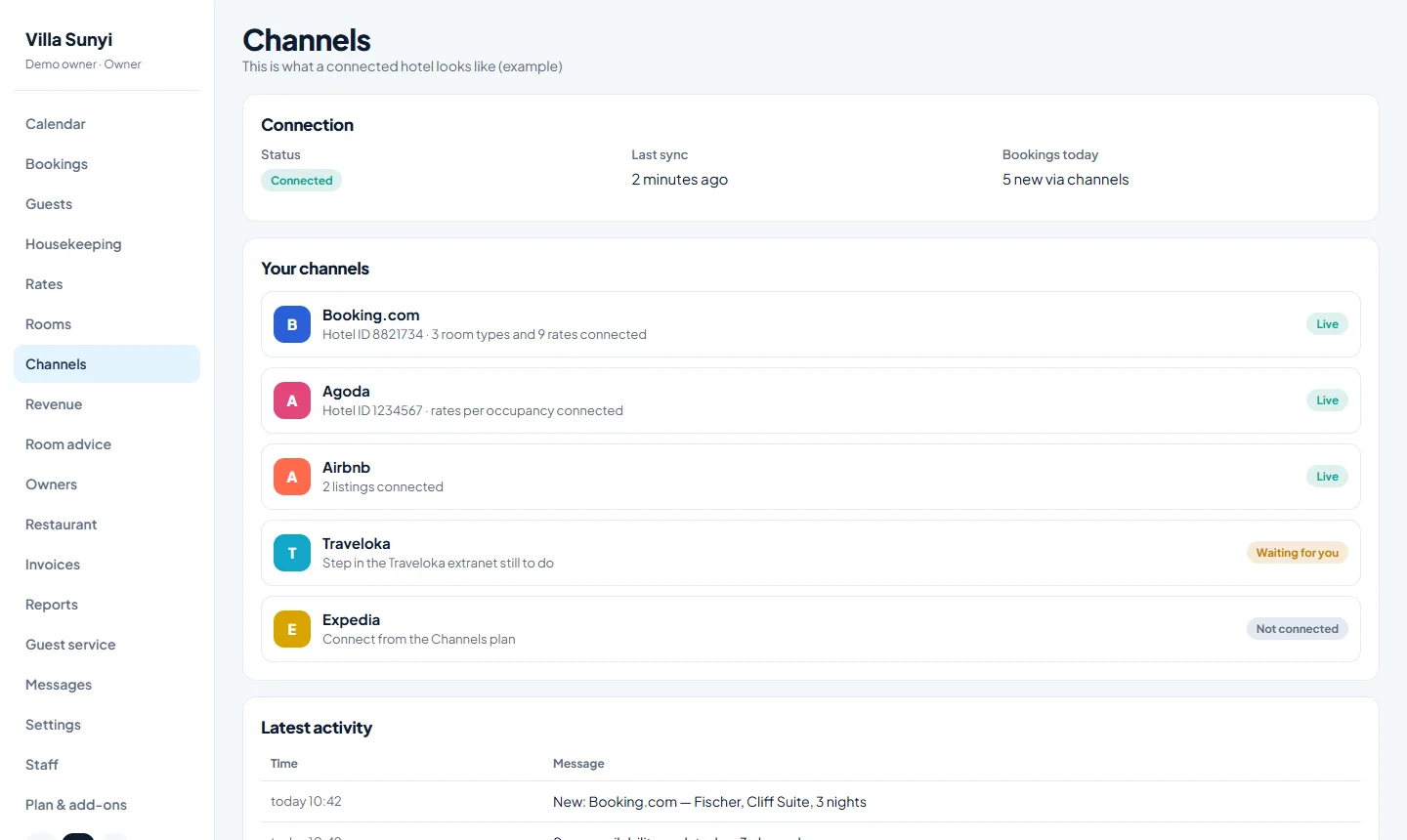
A channel manager for Booking.com, Airbnb, Agoda and more
Sojodesk keeps prices, availability and restrictions identical on every booking site, and brings every reservation back into one calendar. Connect Booking.com, Airbnb, Agoda, Expedia, Traveloka and Google Hotels, and through our channel partner up to 75 channels in total.
You connect each site yourself with a short guide, or we help you. Rooms and rates are mapped once, and after that the connection runs by itself, with a clear activity log so you always see what was sent.
- Two-way connection: prices out, reservations in
- Guided connection per booking site
- Restrictions per date: minimum stay, closed to arrival, stop-sell
- Help with connecting is included
A hotel calendar your whole team understands
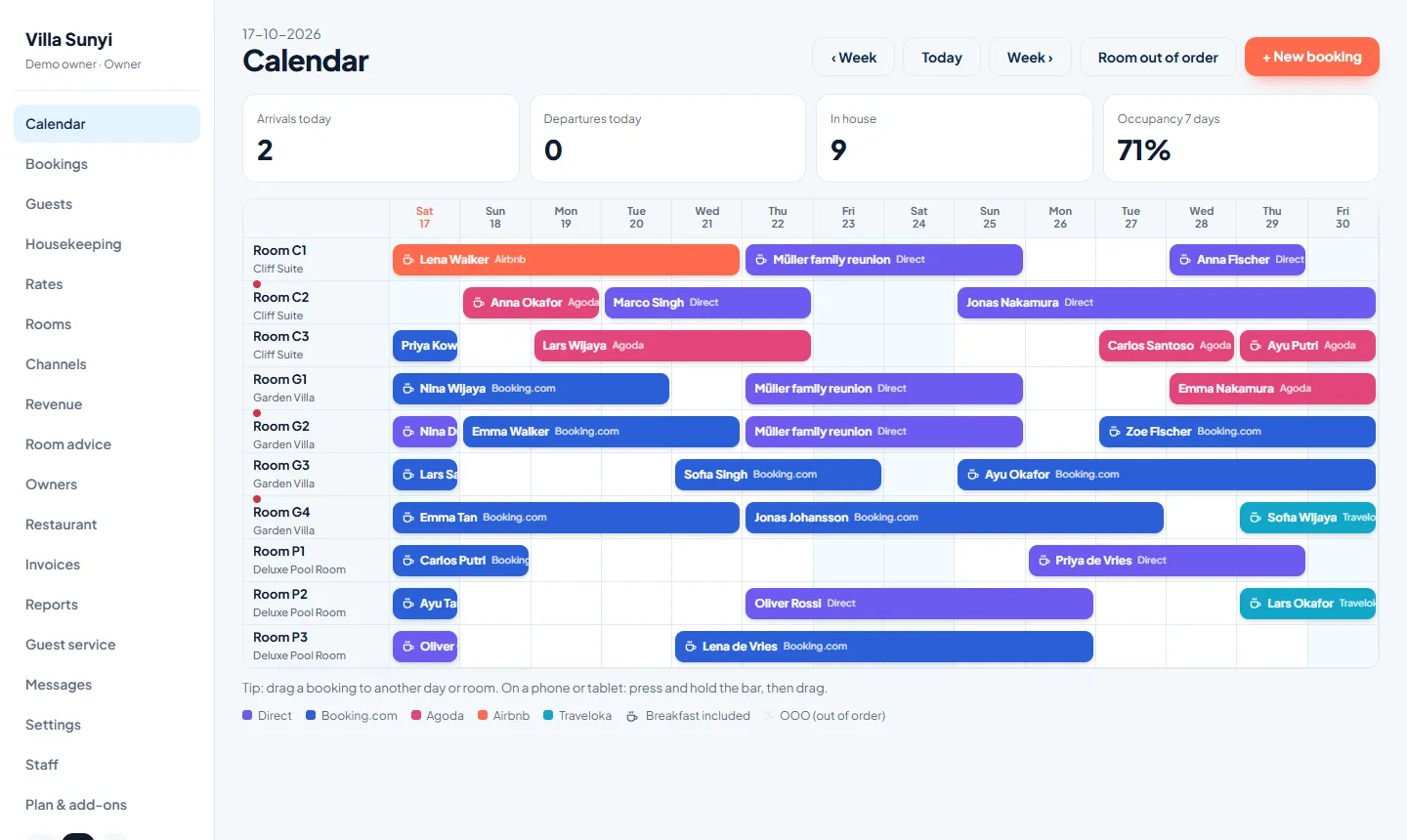
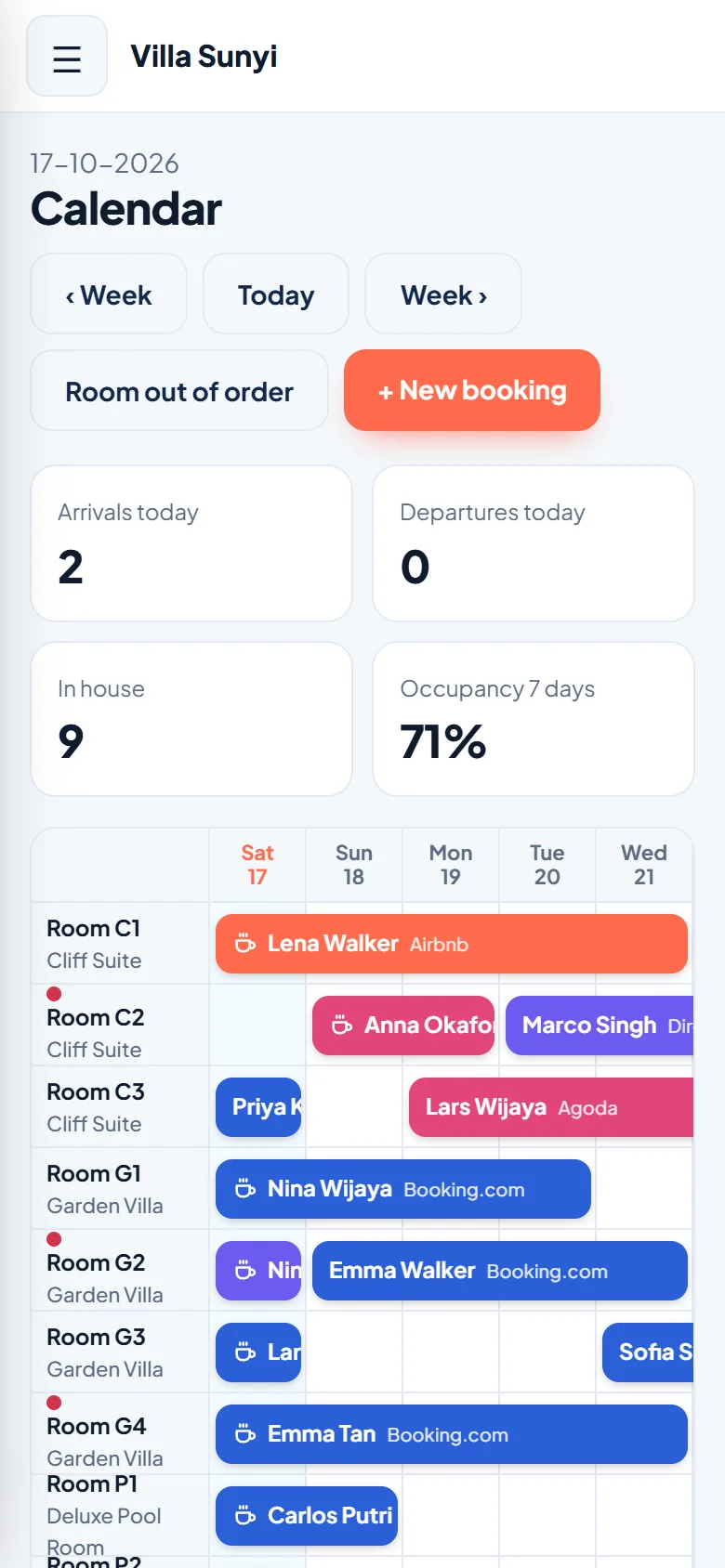
The planning grid shows every room and every night, with one colour per booking channel. Open a booking, check a guest in or out, register payments and put extra charges on the guest bill.
Drag a booking to another day or room and confirm the change, put a room out of order for maintenance, and see at a glance which bookings include breakfast.
- Planning per room with colour per channel
- Drag and drop with a confirmation first
- Guest details, notes and bill per booking
- Staff roles: owner, manager and reception
No more double bookings
A double booking costs you money, goodwill and sleep. Every change in your calendar goes to all channels within minutes, and a room that is sold is closed everywhere. Your channel manager does this automatically, also when you are busy.
Sojodesk also takes care of short gaps: it never sells a stay in a way that would force a guest to move rooms halfway through.
- Rooms close on all sites when one sells
- Overbooking guard checks every new booking
- Short gaps are never sold in a way that forces a room change
A direct booking engine without commission
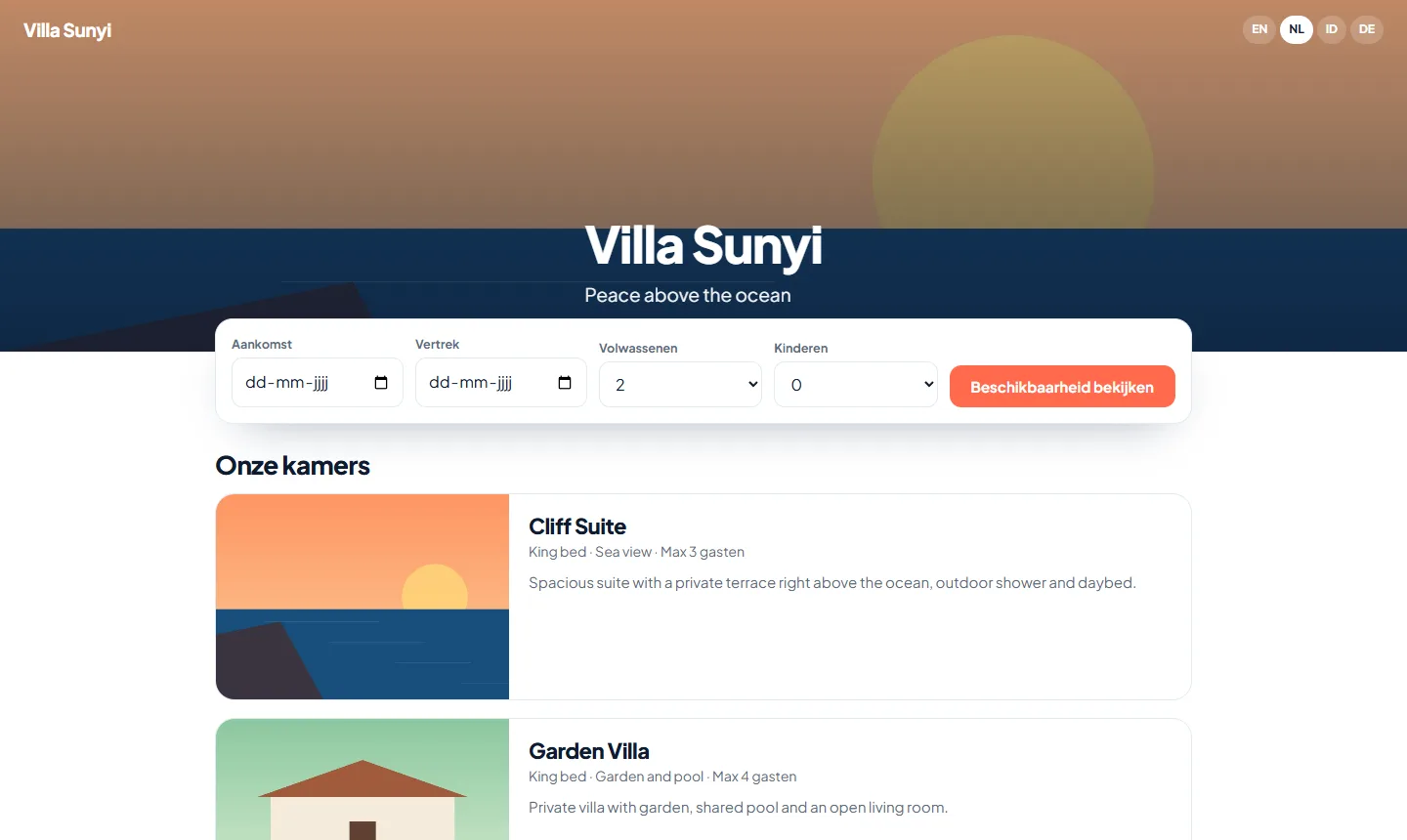
Every property gets its own fast, mobile-friendly booking page with your photos, rates and policies, in English, Dutch, Indonesian and German. Guests see live availability and book without a middleman.
Direct bookings are the most profitable bookings you have. With your own page, repeat guests and referrals skip the commission, and you can use your own domain name.
- Live availability and prices
- Your own colours, photos and domain
- Confirmation emails go out automatically
- No commission on direct bookings
Professional invoices in seconds: 100%, or 30% deposit and 70% balance
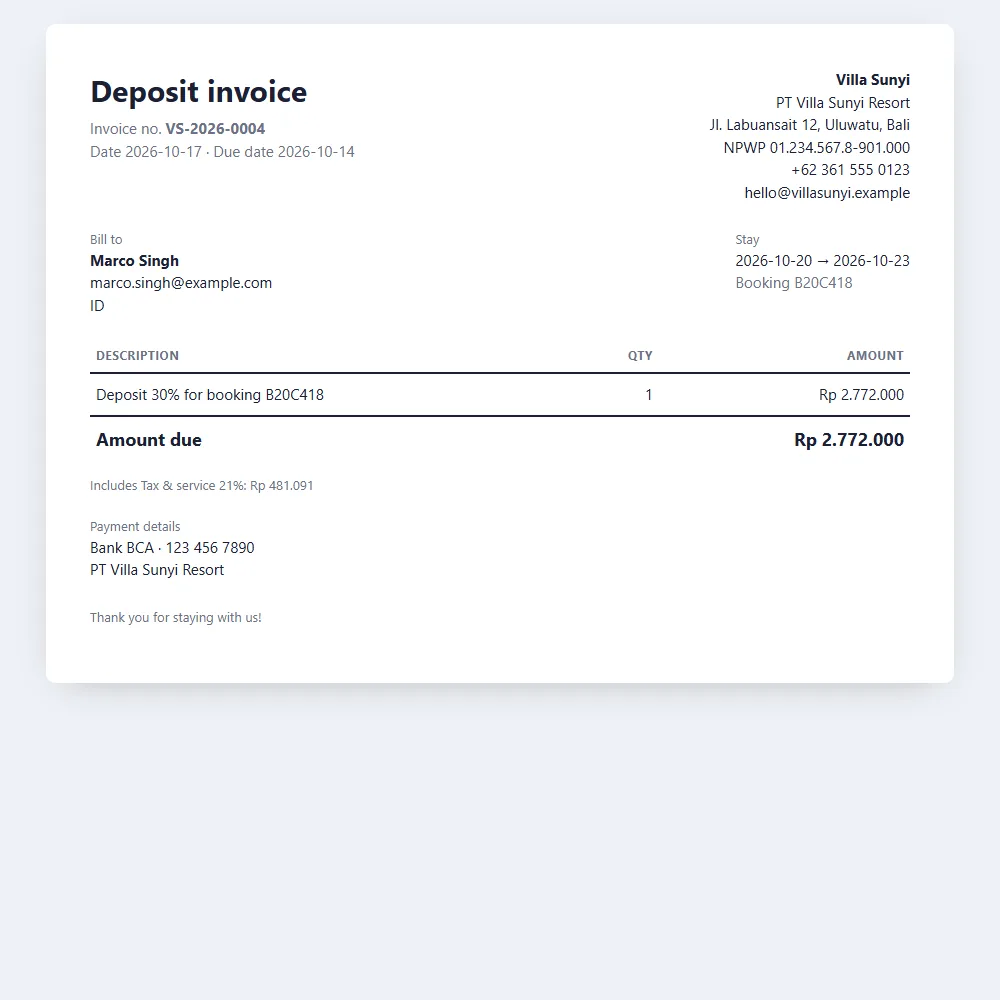
Create an invoice from any booking with one click. Ask for a deposit first (30%, or any percentage you choose) and send the final invoice for the rest after the stay, or invoice 100% up front. Every invoice carries your company details, a tax line, your bank details and your own footer, in English, Dutch, Indonesian or German.
Send it by email with a link where your guest can view it and save it as a PDF, and mark it paid when the money arrives. On the Complete plan you can also send invoices straight to your guest on WhatsApp. One overview shows what is still outstanding and what is overdue.
- 100% invoice, deposit invoice (30% or your choice) and final invoice
- Send by email, or by WhatsApp on the Complete plan
- Guests view the invoice and save it as a PDF
- Open and overdue invoices at a glance
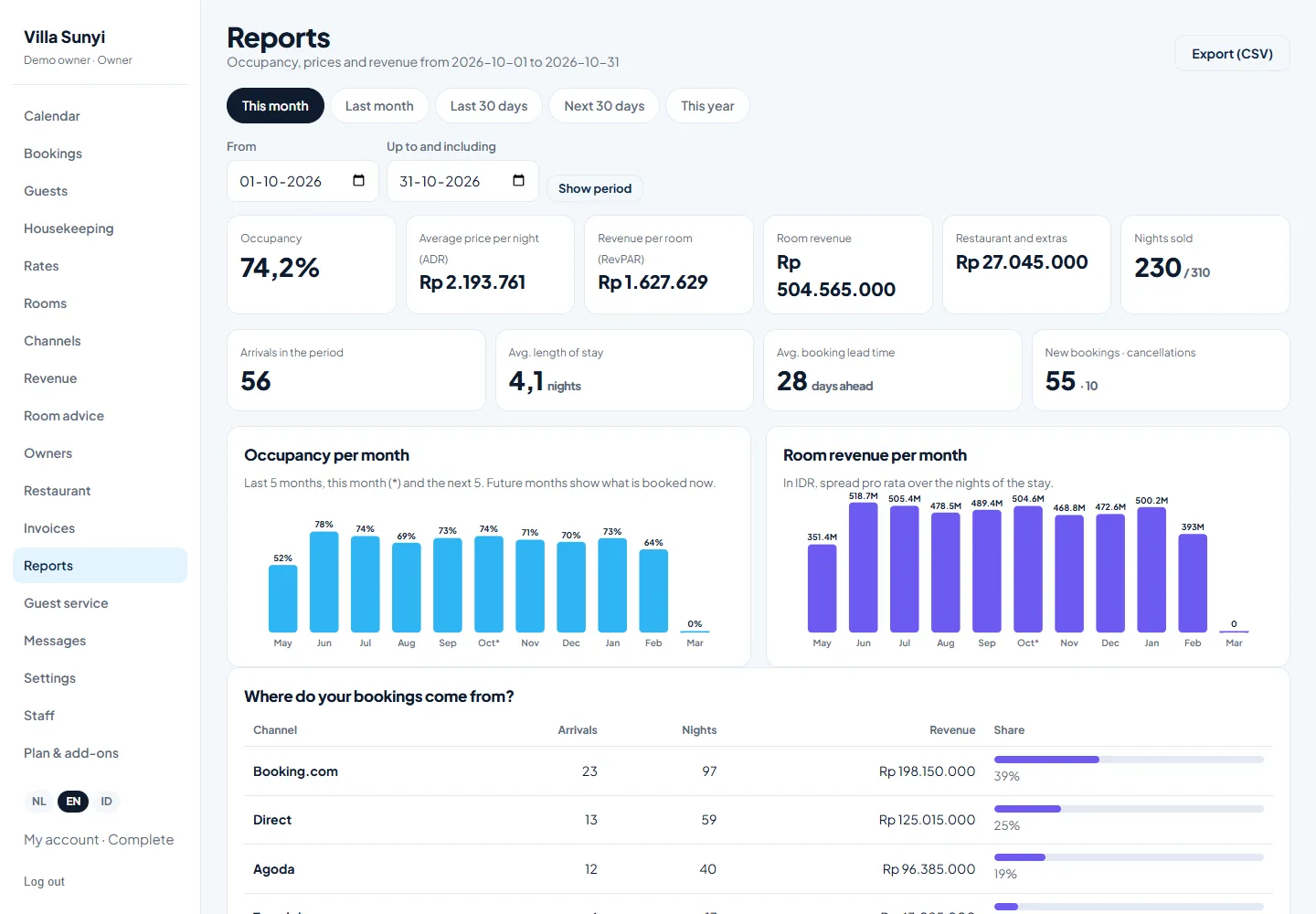
Occupancy, ADR and RevPAR reports that show where the money comes from
See your occupancy, average daily rate (ADR) and revenue per available room (RevPAR) for this month, last month, the coming 30 days or any period you choose. Compare months in clear charts, including what is already booked for the months ahead.
Find out which booking sites bring you the most revenue, which room types sell best and how far ahead your guests book. Export everything to a spreadsheet in one click.
- Occupancy, ADR and RevPAR for any period
- Monthly trend, also for upcoming months
- Revenue and share per booking channel
- Per room type, with CSV export
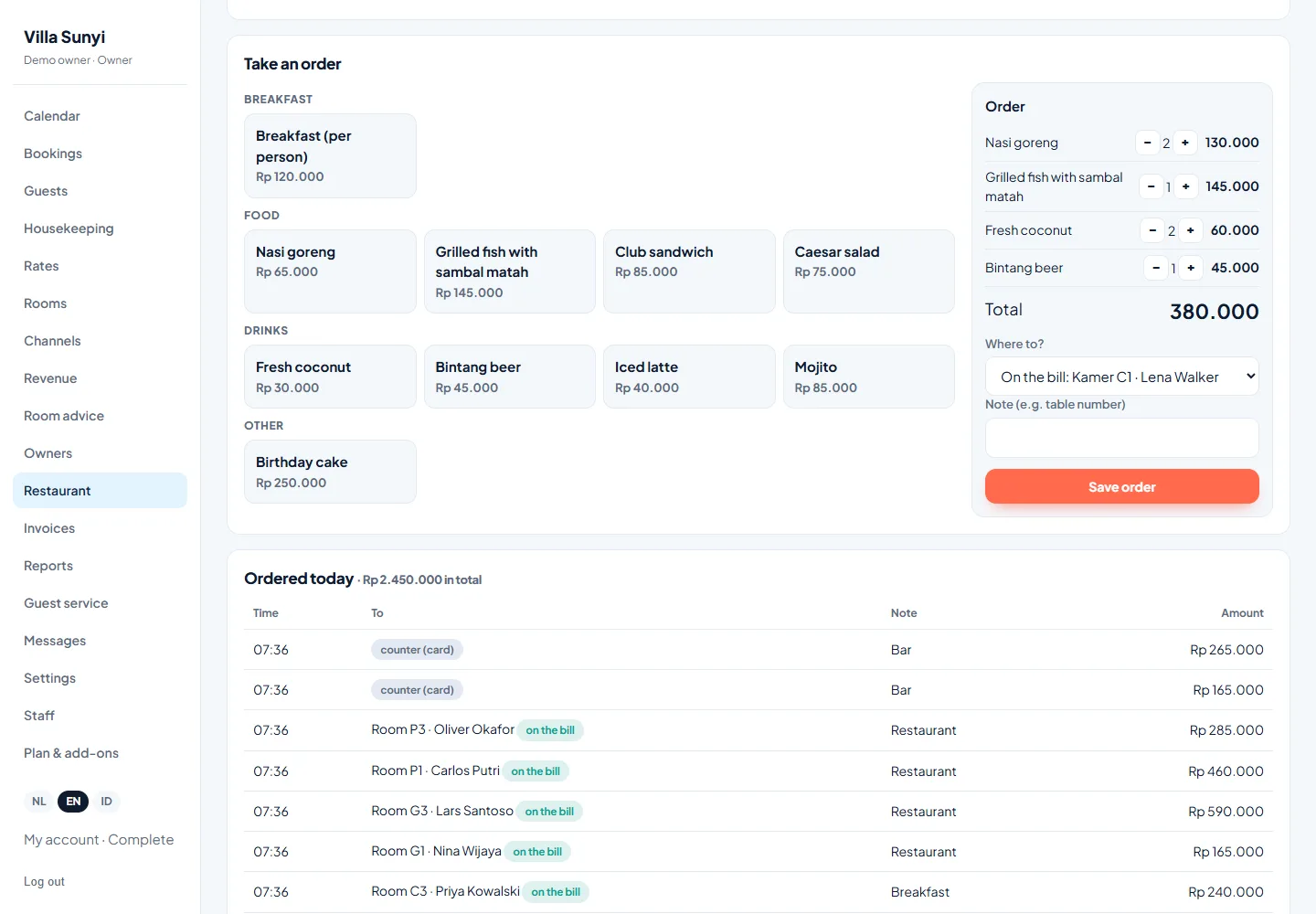
A simple till that puts every order on the guest’s room bill
Add your menu and take orders in seconds. Put an order on the room bill of an in-house guest with one tap, or take payment at the counter. A daily breakfast list shows who has breakfast included and lets you charge breakfast to guests who do not.
Everything lands on the guest’s bill, so nothing is forgotten at check-out. Available as an add-on, and included in the Complete plan.
- Your own menu with breakfast, food and drinks
- Order on the room bill, or paid at the counter
- Breakfast list per day with included breakfast marked
- Today’s orders and sales at a glance
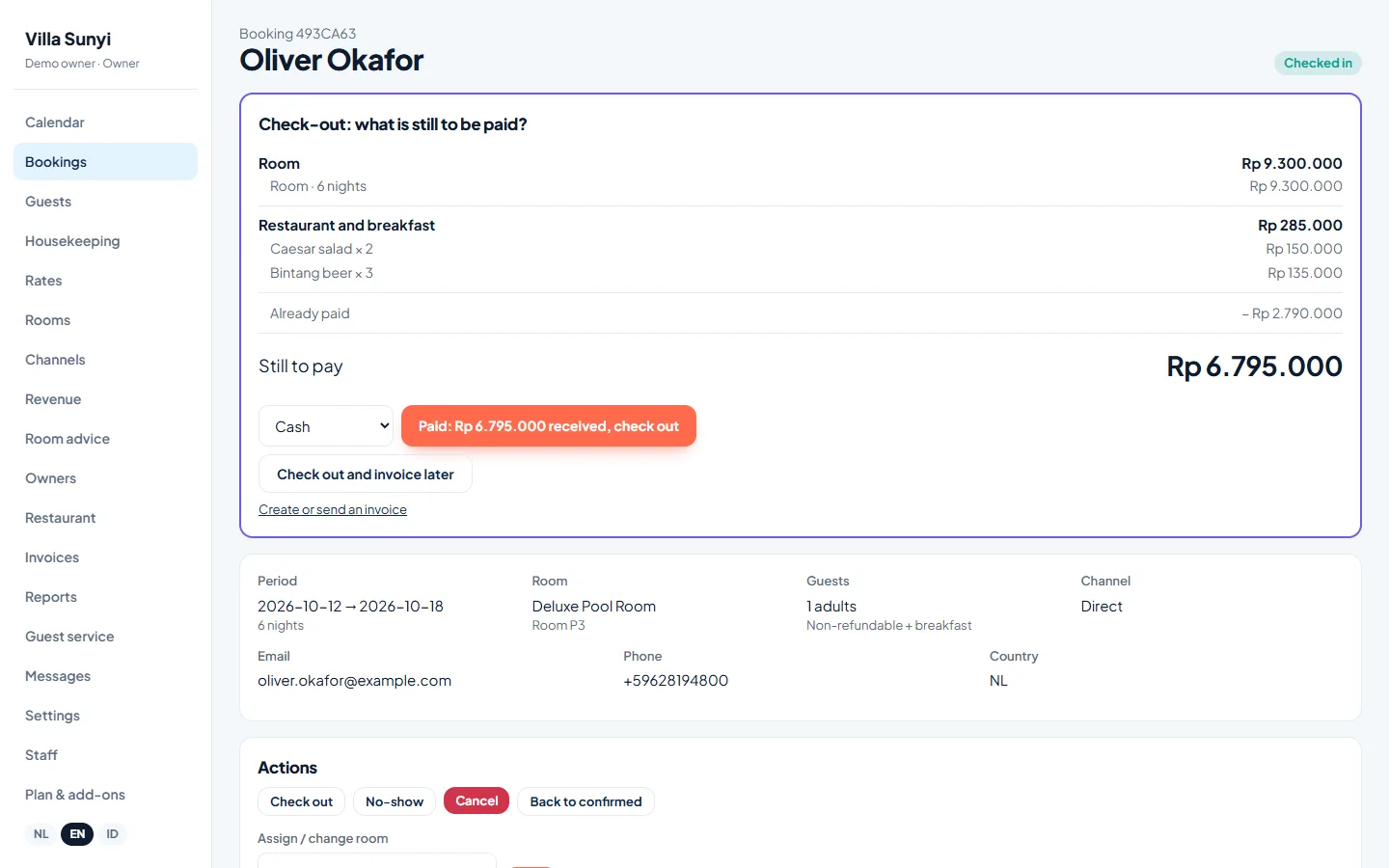
A check-out screen that shows exactly what is still to be paid
When a guest checks out, Sojodesk shows the room, the restaurant and breakfast, the extras, what has been paid and what is still due. Take payment with one click and check out, or check out now and send an invoice later.
- Room, restaurant and extras on one screen
- Take payment and check out in one click
- Or check out now and invoice later
Let guests pay online, straight into your own Stripe account
Connect your own Stripe account in a minute and your invoices get a Pay now button. Guests pay by card, and the money goes straight to you. Sojodesk never holds your money and takes no cut.
You can also ask for a deposit when a guest books on your own booking page: choose the percentage (for example 30%) and the guest is sent to a secure payment page right after booking. Paid invoices are marked as paid automatically.
- Pay now button on every invoice
- Deposit when booking online, percentage of your choice
- Money goes directly to your own Stripe account
- Invoice is marked as paid automatically
Know which rooms are clean, which are dirty and which must be ready today
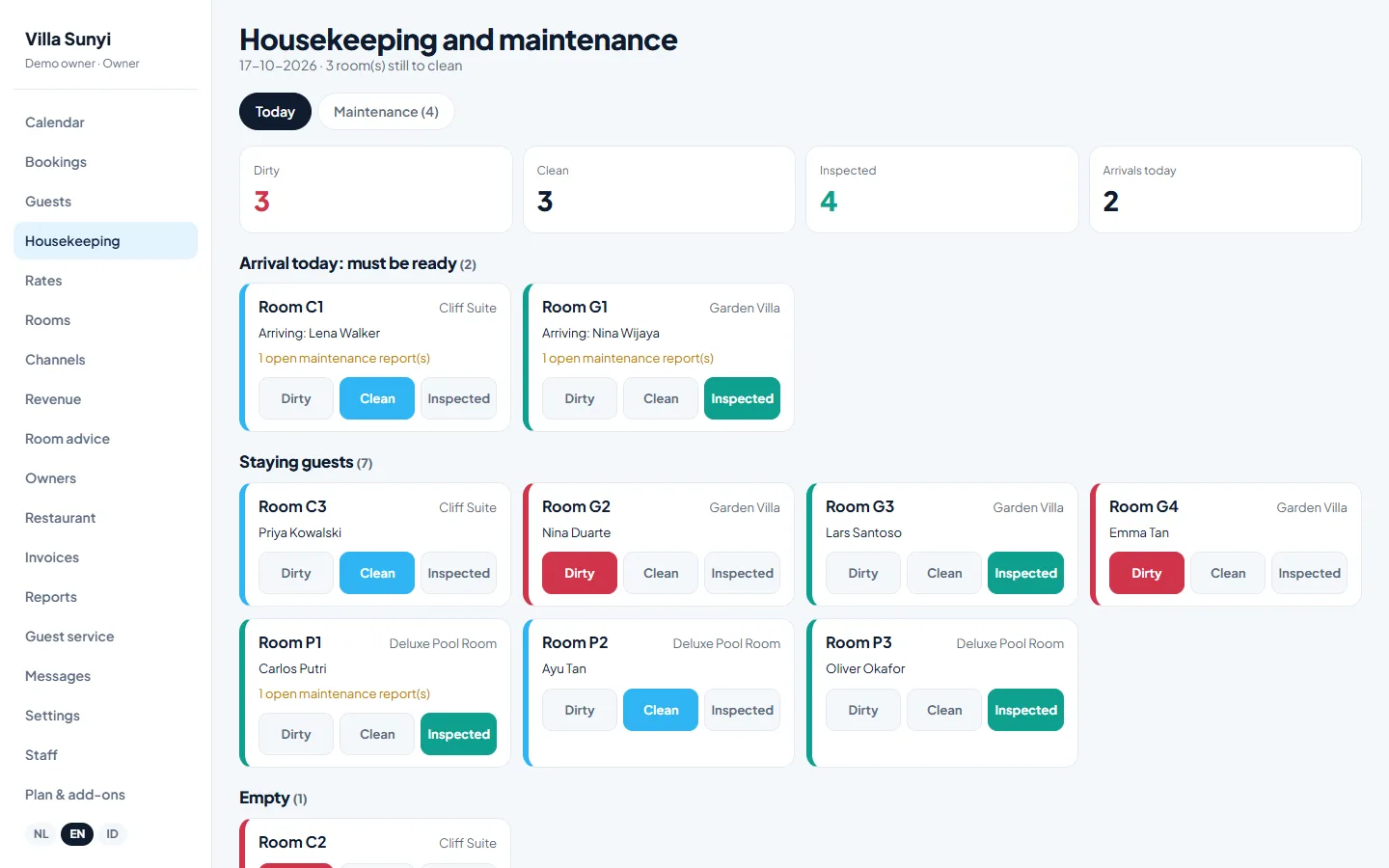
Every room has a status: dirty, clean or inspected. When a guest checks out, the room turns dirty by itself. Your housekeeper opens the list on a phone, taps a room when it is done, and reception sees it straight away. Rooms with an arrival today are highlighted, so the most urgent rooms are always cleaned first.
Report a problem in a room, such as a noisy aircon or a loose tap, and track it as a maintenance task with a priority. A separate Housekeeping login only shows this one screen, so your cleaning team sees nothing else.
- Dirty, clean and inspected status per room
- Rooms are marked dirty automatically at check-out
- Arrivals today are highlighted
- Maintenance tasks with priority, per room
- A login for housekeeping that only shows this screen
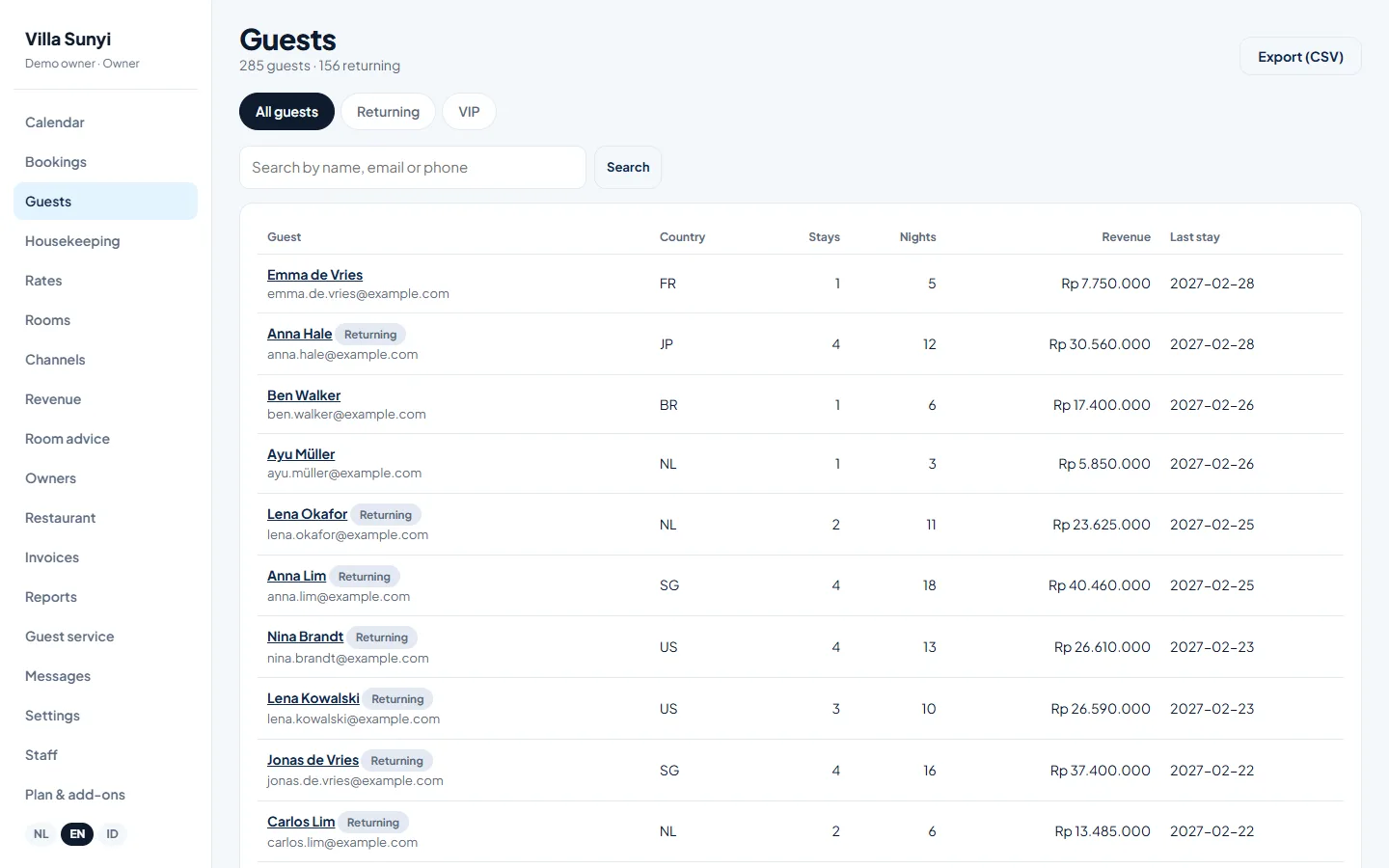
Recognise returning guests and remember what they like
Sojodesk combines every booking of a guest, based on email or phone number, into one profile. You see how often they stayed, how many nights, how much they spent and when they were last with you. Add notes such as allergies or a favourite villa, and labels such as VIP or Watch.
Filter on returning guests to send a thank-you or an offer, and export your guest list to a spreadsheet in one click.
- One profile per guest, across all bookings and channels
- Stays, nights and revenue per guest
- Notes and VIP or Watch labels
- Filter on returning guests, export to CSV
Book several rooms for one party in one go
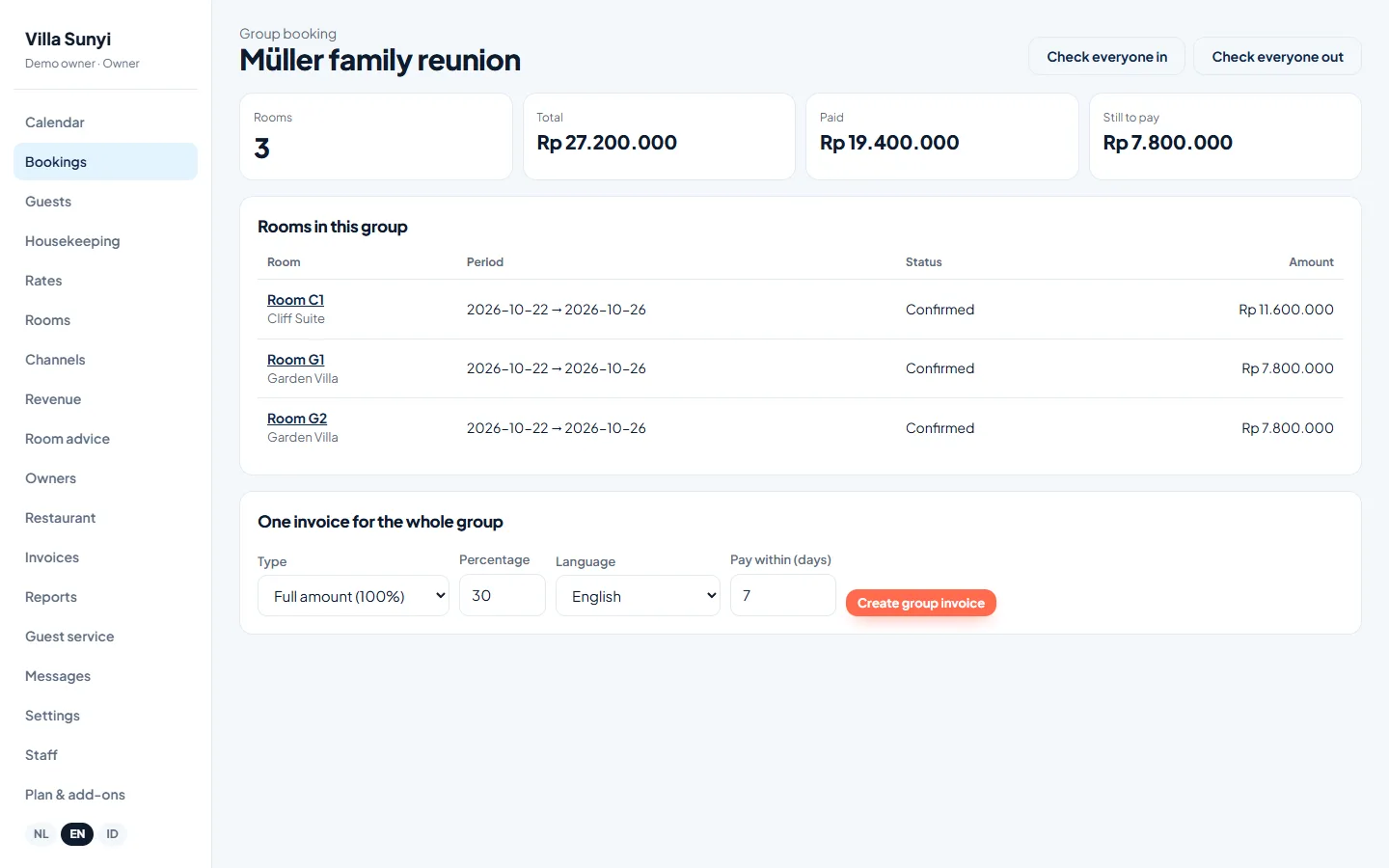
A family reunion, a yoga retreat or a wedding party? Choose how many rooms of each type, enter the dates once and Sojodesk books them all together. The rooms stay separate bookings, so people can arrive and leave on their own, but you see one total and one group overview.
Check everyone in or out with one button, and create a single invoice for the whole group, either in full or as a deposit.
- Several room types in one booking
- One total, one overview for the whole group
- Check in and out all rooms at once
- One invoice for the entire group
Manage villas for owners and send a clear statement every period
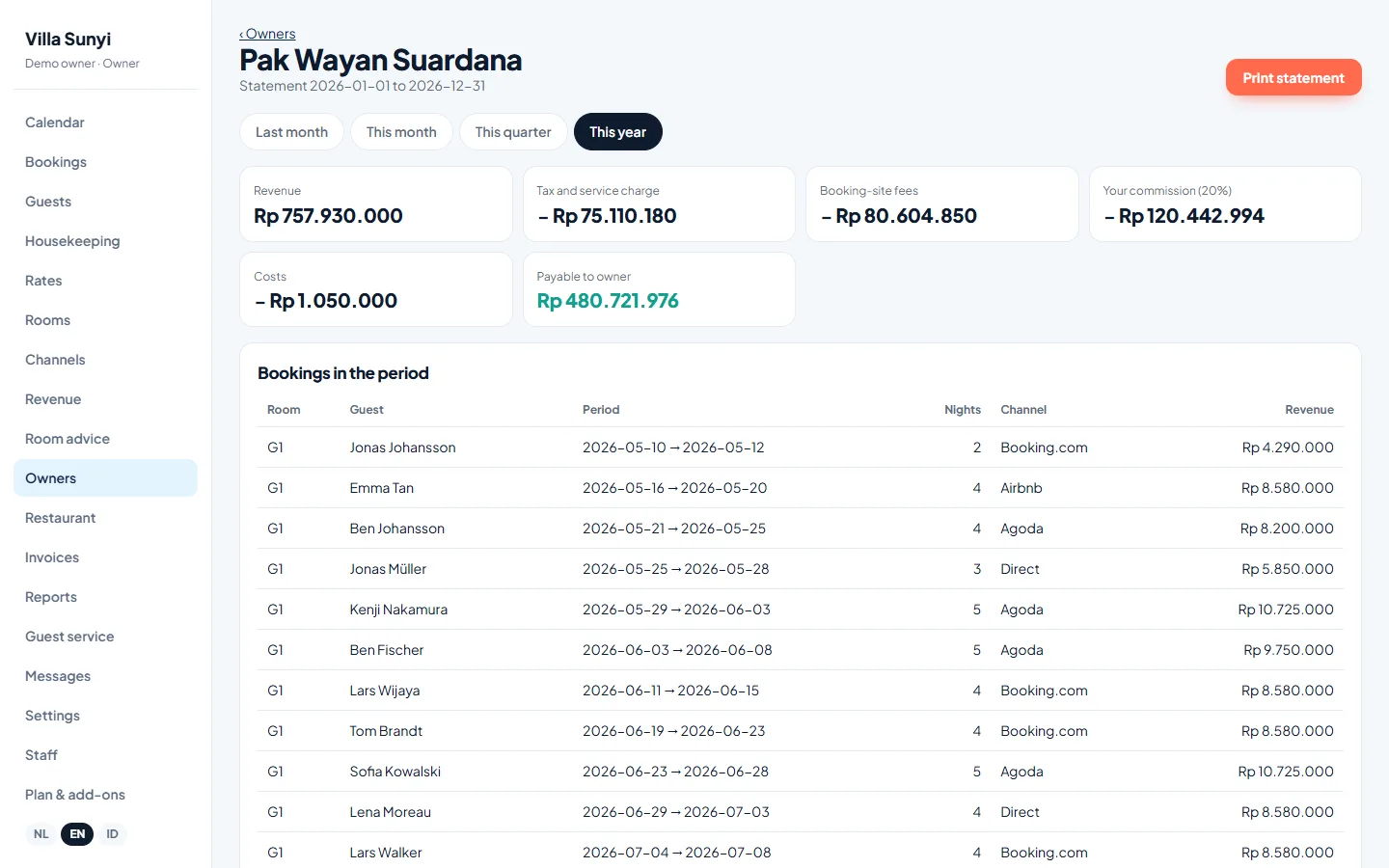
Do you rent out villas or rooms for other owners? Assign each room to an owner, set your commission and Sojodesk calculates the statement for any period: the revenue, your commission, the costs you made for the owner and what is left to pay out.
Add costs such as cleaning or repairs, deduct the fees of booking sites like Booking.com and Airbnb, and apply tax or service charge if it is in your price. Then print the statement for the owner. No more spreadsheets at the end of the month. An add-on from $9 per month, priced by the number of rooms you manage for owners: up to 5, 15 or 30.
- Rooms and villas per owner, with your commission
- Statement per month, quarter or any period
- Costs for the owner deducted automatically
- Printable for the owner
Dynamic pricing and revenue management for small hotels
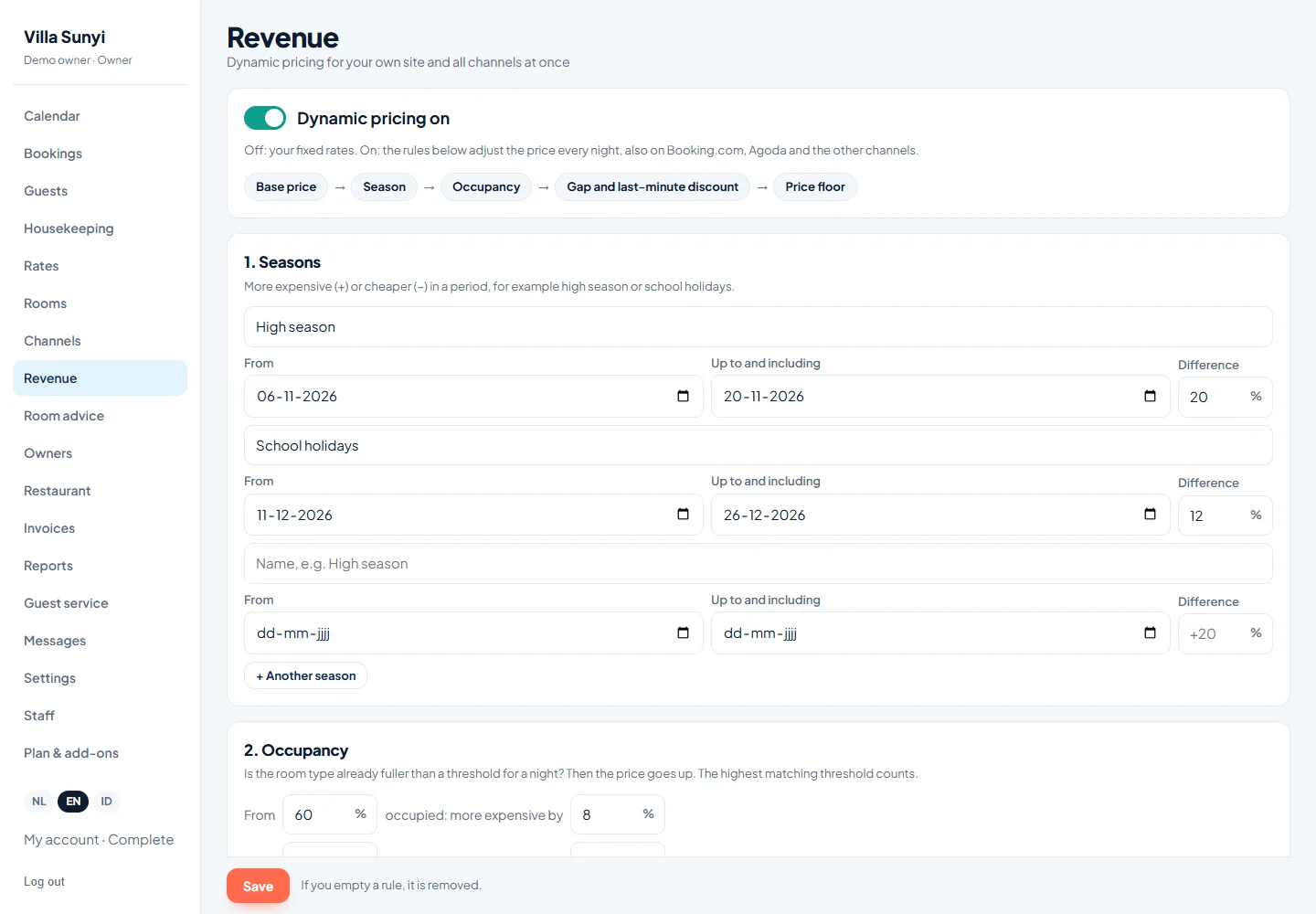
You do not need a revenue manager to price well. Add your seasons and occupancy steps once, and Sojodesk raises prices when you fill up. A price increase can never exceed the cap you set.
Offer last-minute discounts when arrival is close and the room is still free, with a price floor and a total-discount cap so prices never fall too far. Mark nights such as Nyepi as closed, also on your channels.
- Seasons and occupancy-based pricing
- Last-minute discounts with a price floor
- Closed nights for holidays and events
- The same price on your site and every channel
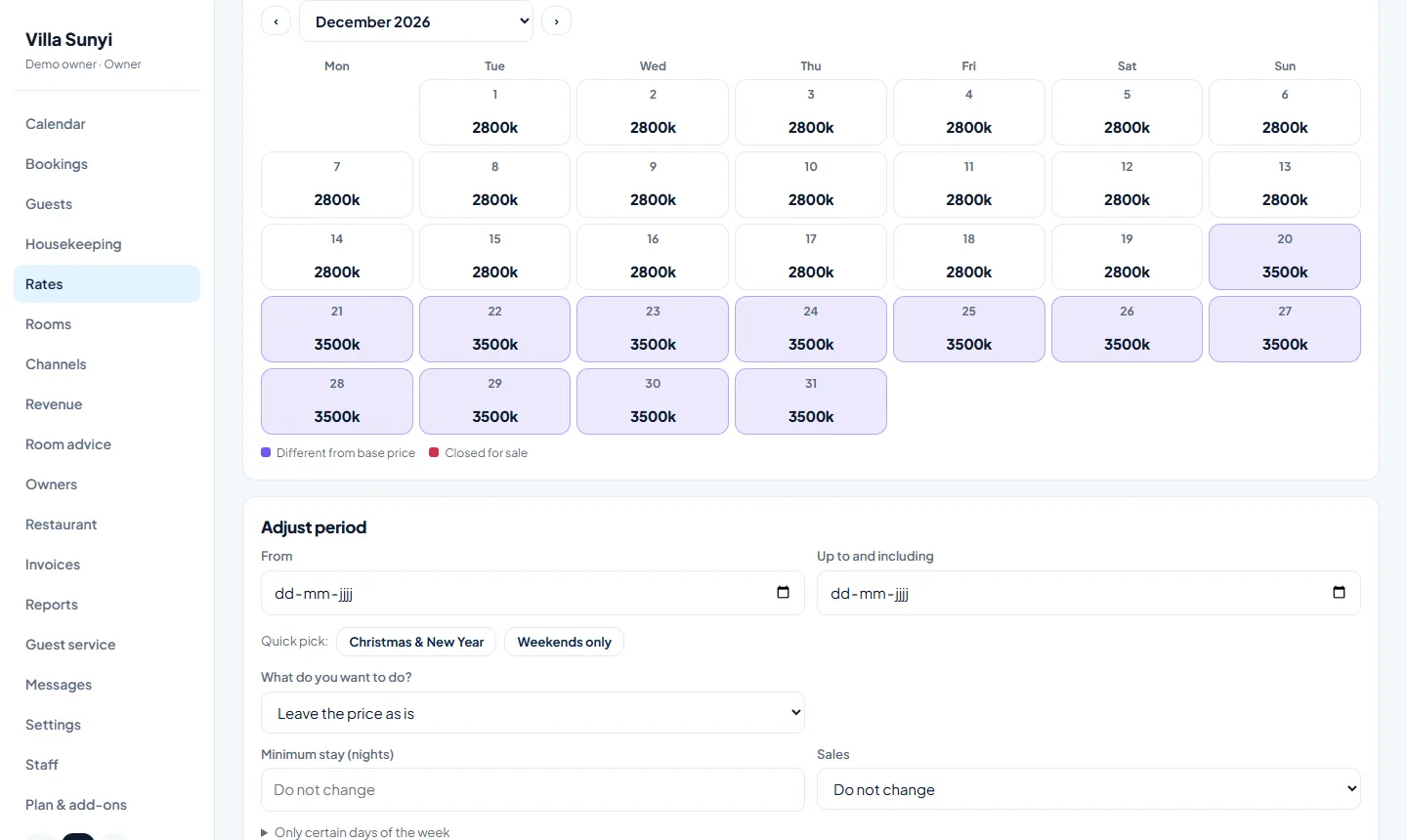
Set prices for next Christmas in one minute
Choose a room type, set your base price, and the refundable and breakfast rates follow automatically. A month calendar up to 30 months ahead shows every price, with the days that differ from your base price highlighted.
Select a period and add a percentage, give a discount, set a fixed price or go back to your base price. Combine it with a minimum stay or close the period for sale.
- Month calendar up to 30 months ahead
- Christmas +25% in two clicks
- Minimum stay and sales stops per period
Room advice that fills the gaps in your calendar
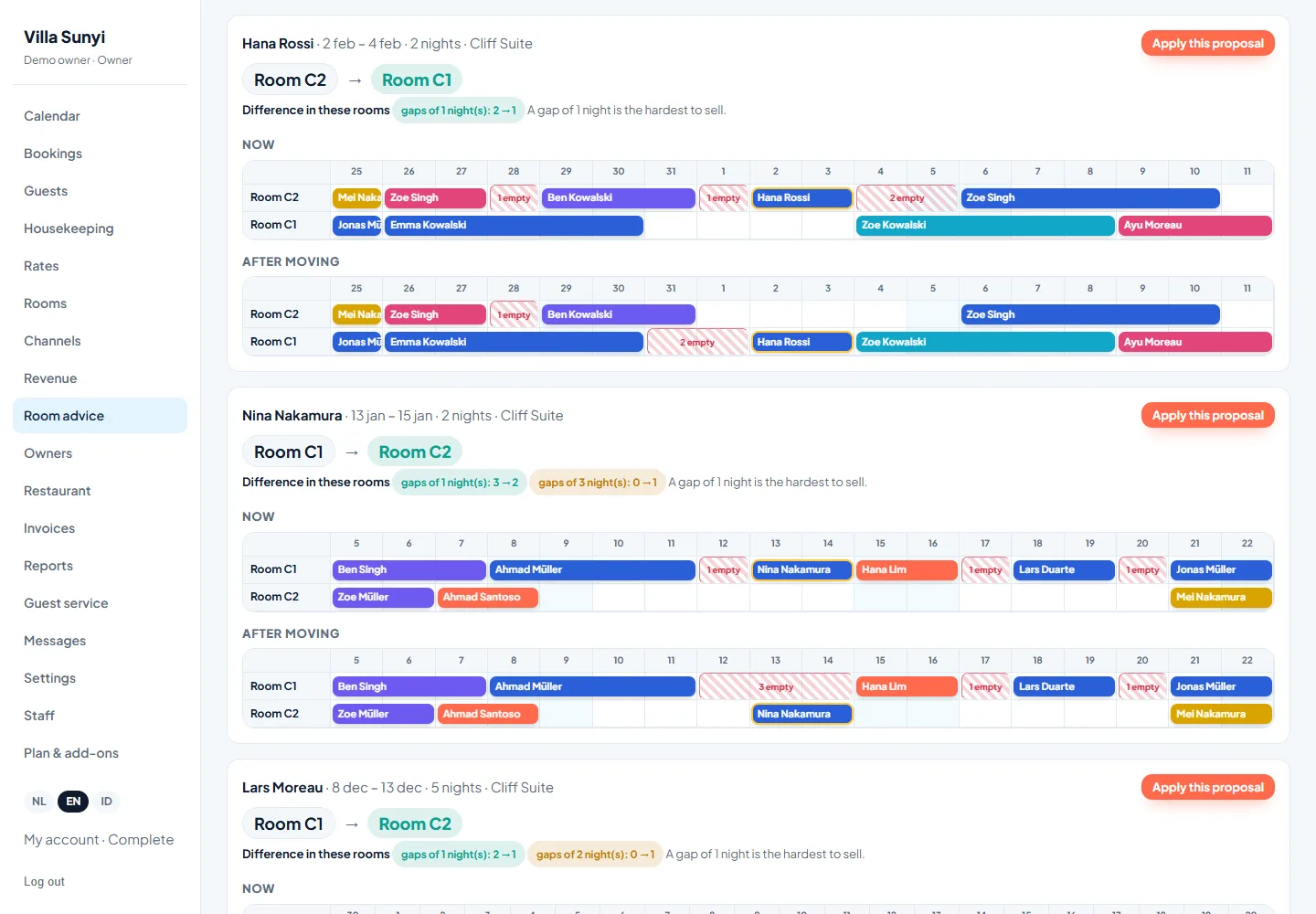
One, two or three empty nights between bookings are almost impossible to sell. Sojodesk proposes moving bookings between rooms of the same type so those short gaps disappear and longer free periods remain that you can sell.
For every proposal you see a picture of the planning now and after the move, plus how many hard-to-sell gaps disappear. Checked-in guests and rooms you locked are never moved.
- A picture per proposal: now versus after
- Only within the same room type
- Guests and booking sites notice nothing
Gap-night discounts that fill empty nights
When a gap cannot be solved by moving a booking, a small automatic discount makes it attractive. Set the discount for gaps of one, two and three nights, and Sojodesk applies it to your own page and to your channels.
- Discount per gap length
- Combined with last-minute under one cap
- Never below your price floor
Online check-in, a digital guest guide and extras that earn
Guests fill in their details and arrival time before they arrive, so the front desk only hands over the key. They get a digital guide with Wi-Fi, house rules, breakfast times and local tips.
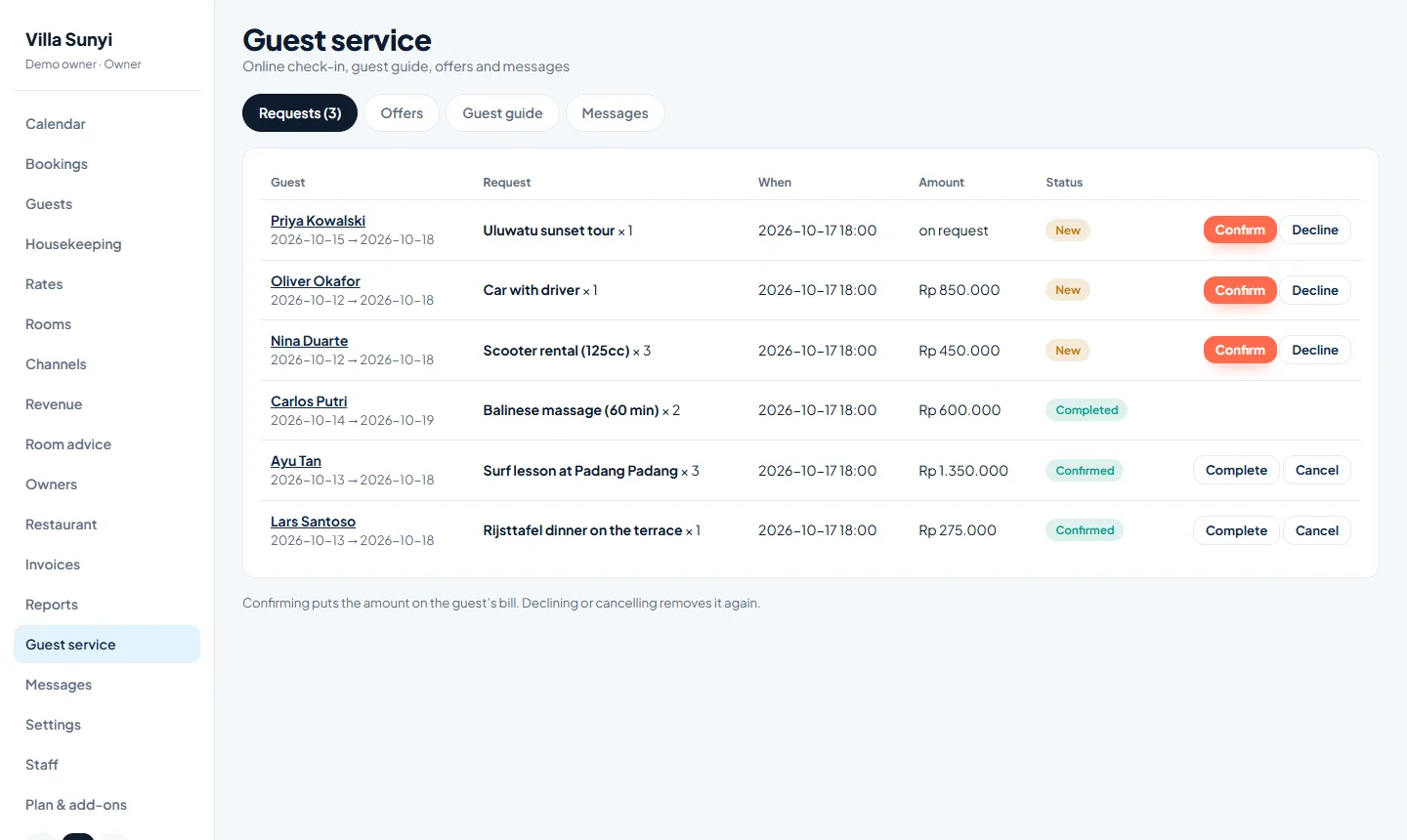
In that same guide you offer scooter or car rental, dinners, tours and massages. Requests arrive in your inbox and go on the bill when you confirm. Sensitive details such as passport numbers are stored encrypted.
- Online check-in before arrival
- Digital guide per booking
- Upsell scooter or car rental, food and activities
- Passport numbers stored encrypted
Chat with OTA guests and WhatsApp in one place
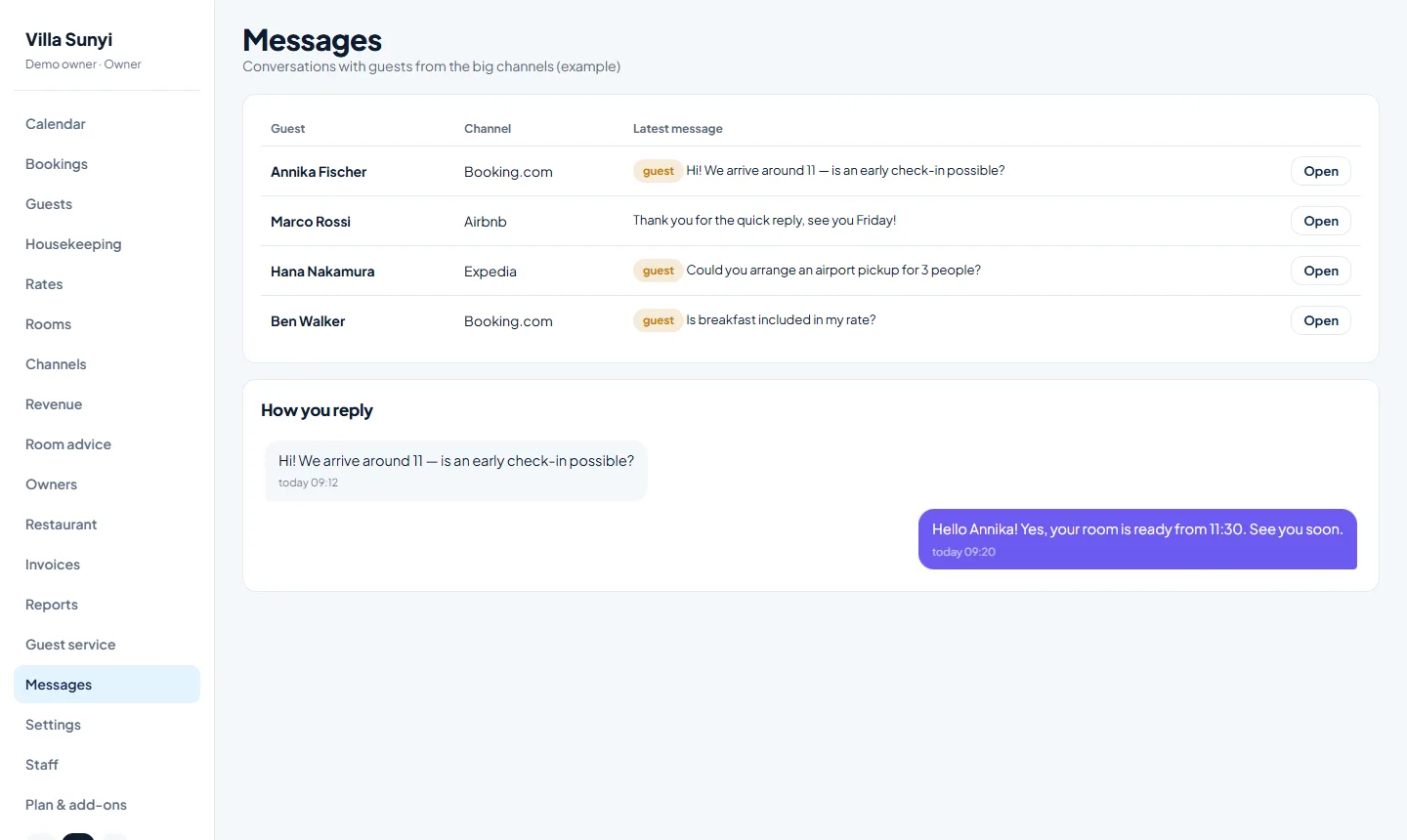
Read and answer messages from Booking.com, Airbnb and Expedia guests in one inbox, without logging in to every extranet. Send an automatic invitation to check in online, and a welcome message on arrival day.
WhatsApp messages have a monthly limit that keeps your costs fixed and predictable, and you can buy an extra bundle when you need more.
- One inbox for the big channels
- Automatic invitation and welcome message
- A monthly message limit keeps costs fixed
Any country, currency, time zone and language
Every property has its own currency with the right number of decimals, its own time zone and its own languages. Prices in rupiah, baht, ringgit, euro or dollar all work, on your booking page and on your channels.
The booking page for your guests is available in English, Dutch, Indonesian and German, and the staff screens in English, Dutch and Indonesian.
- Currency and time zone per property
- Booking page in four languages
- Staff screens in three languages
Works on your phone and tablet
Check arrivals, move a booking or take a call at the front desk from any device. There is no app to install: Sojodesk works in the browser on your phone, tablet and computer.
- Made for phone and tablet
- Drag a booking with your finger
- The same data everywhere
Secure, backed up and supported
Your data is backed up every day, sensitive guest details are encrypted, and logins are protected against guessing. Every property is kept separate from all others.
Not sure where to start? For a one-time $249 we set up your rooms, rates and channels with you in a personal session and help you import your bookings.
- Daily backups
- Encrypted sensitive guest data
- Personal help with setting up
What is in which plan
| Basic | Channels | Revenue | Complete | |
|---|---|---|---|---|
| Calendar, bookings, guests, billing | ✓ | ✓ | ✓ | ✓ |
| Own booking page, 4 languages | ✓ | ✓ | ✓ | ✓ |
| Unlimited staff accounts | ✓ | ✓ | ✓ | ✓ |
| Channel manager | – | ✓ | ✓ | ✓ |
| Double-booking protection | – | ✓ | ✓ | ✓ |
| Dynamic pricing and discounts | – | – | ✓ | ✓ |
| Closed nights | – | – | ✓ | ✓ |
| Room advice | – | – | ✓ | ✓ |
| Guest portal and online check-in | Add-on | Add-on | Add-on | ✓ |
| Chat with OTA guests | Add-on | Add-on | Add-on | ✓ |
| WhatsApp messages | Add-on | Add-on | Add-on | ✓ |
| Online payments via your own Stripe account | ✓ | ✓ | ✓ | ✓ |
| Invoices (100%, deposit, final) by email | ✓ | ✓ | ✓ | ✓ |
| Reports: occupancy, ADR, RevPAR | ✓ | ✓ | ✓ | ✓ |
| Invoices via WhatsApp | – | – | – | ✓ |
| Restaurant and breakfast till | Add-on | Add-on | Add-on | ✓ |
| Housekeeping and maintenance tasks | ✓ | ✓ | ✓ | ✓ |
| Guest profiles and returning guests | ✓ | ✓ | ✓ | ✓ |
| Group bookings with one invoice | ✓ | ✓ | ✓ | ✓ |
| Owner statements for villa management (add-on, from $9) | Add-on | Add-on | Add-on | Add-on |
Frequently asked questions
What does a channel manager do?
A channel manager keeps your prices, availability and restrictions identical on every booking website and brings all reservations into one calendar. When a room is booked on one site, it is closed on all the others within seconds.
Is Sojodesk a PMS or a channel manager?
Both. Sojodesk is a property management system (PMS) with a built-in channel manager and booking engine, so you manage rooms, rates, bookings, guests and channels in one place.
How is dynamic pricing different from a normal rate?
Instead of one fixed price, Sojodesk adjusts the price per room type and per night using seasons, occupancy, gap nights and last-minute rules, with a price floor and a discount cap you control.
What is gap-night pricing?
A gap night is one to three empty nights between two bookings. They are hard to sell at full price, so Sojodesk can apply an automatic discount, and room advice can move bookings to remove the gap altogether.
Can guests check in online?
Yes. Guests share their details and arrival time before arrival, so the front desk only hands over the key. Passport numbers are stored encrypted.
Does Sojodesk work for a villa with one or two rooms?
Yes. It works from a single room upwards, and up to 20 rooms and 10 room types are included in the plan price.
Which languages and currencies are supported?
The booking page is available in English, Dutch, Indonesian and German. Every property has its own currency and time zone.
How do I get started?
Create a free test hotel in a minute, or choose a plan and start. For a one-time $249 we help you set up your rooms, rates and channels in a personal session.
Can guests pay online?
Yes. Connect your own Stripe account in Settings and guests can pay your invoices by card, or pay a deposit right after booking on your own booking page. The money goes directly to your Stripe account. Stripe is not available in every country, so check that it works for your property.
Can I send an invoice with a deposit?
Yes. Create a deposit invoice for a percentage you choose, for example 30%, and later a final invoice for the remaining 70%. The final invoice shows the deposit as already paid. Or invoice 100% at once.
How are invoices sent to guests?
By email, with a link where the guest views the invoice and saves it as a PDF. On the Complete plan you can also send the invoice link by WhatsApp.
What reports does Sojodesk have?
Occupancy, ADR, RevPAR and revenue for any period, a monthly trend, revenue per booking channel and per room type, average length of stay and booking lead time, with CSV export.
Can I put restaurant orders on a guest’s room bill?
Yes, with the restaurant and breakfast add-on, which is included in the Complete plan. Take an order, put it on the room bill, and see everything still to be paid at check-out.
Does Sojodesk have housekeeping?
Yes. Every room has a dirty, clean or inspected status. Rooms turn dirty automatically at check-out and your cleaning team marks them clean on a phone. A special Housekeeping login only shows that one screen. You can also keep a list of maintenance tasks.
Can I book several rooms for one group?
Yes. Use a group booking to book several rooms and room types at once for one party. You see one total, can check everyone in and out with one button and can create one invoice for the whole group.
Can I manage villas for other owners?
Yes. Assign rooms to an owner, set your commission and Sojodesk creates a statement per period with revenue, commission, costs and the amount to pay out. You can print it for the owner.
Does Sojodesk remember returning guests?
Yes. Bookings of the same guest are combined on email or phone number into one profile with stays, nights, revenue, notes and labels such as VIP.
See Sojodesk with your own rooms
Tell us about your property and we will set up a demo with your room types, rates and channels.
Request a demo